Feature Request: Make the Original File Name Text Selectable when Editing Name
Posted: 26 Nov 2025, 11:40
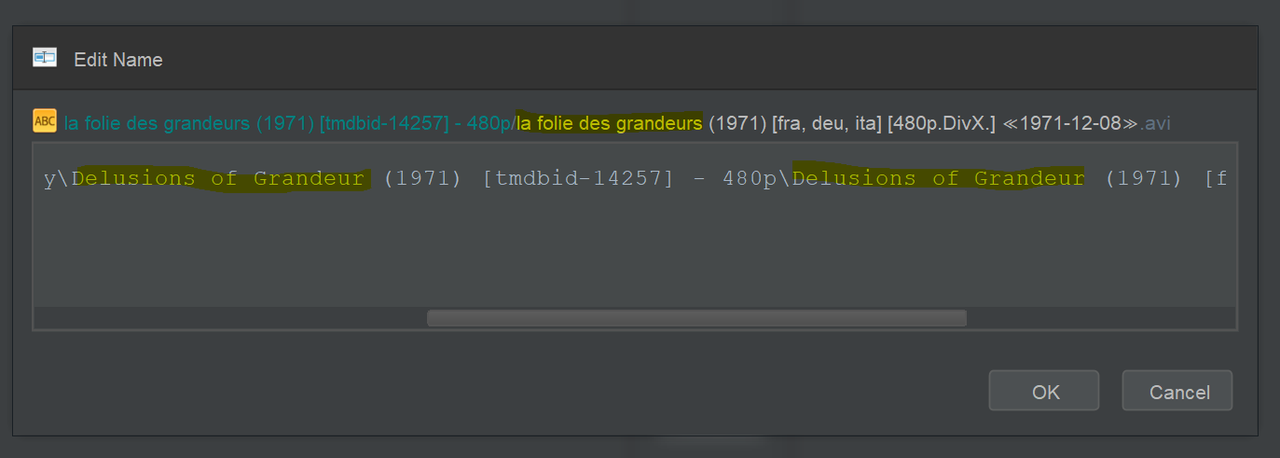
It would be useful to be able to select and copy selective text from the original file name when editing the target file name after a successful match.
TMDB supplies the English movie name and in selected cases I would like to retain the original language name.
It seems to me that the easiest solution for me would be to allow for manual selection of the text that I want to copy, copy it and paste it to where I would like in the new target file name.
Screenshot:
TMDB supplies the English movie name and in selected cases I would like to retain the original language name.
It seems to me that the easiest solution for me would be to allow for manual selection of the text that I want to copy, copy it and paste it to where I would like in the new target file name.
Screenshot:
 You will want to make your custom format generate the file names you want in the first place. If you want French titles, then you can select French in the
  That said, you can copy & paste the file path by selecting the item in Original Files and hitting CTRL+C or by using Double-Click <Original Files item> ➔ Rename before Edit Name if you need the original file name in your clipboard before you start your edit.