Right-Click FileBot Testing & Support
Posted: 15 Apr 2026, 14:21
Very good utility. My general use case is:
I have a beefy Windows 11 PC for processing, connected to a local 100tb Truenas server for storage. Plex is running both on Truenas and the PC, individually pointing at the same Plex library X:\Media\Movies, X:\Media\TV Shows, etc....
The PC has access to all truenas storage thru various drive letters. I'm trying to consolidate and standardize. I don't need 15 copies of the same movie. Some duplicates, some may be in virtually any format in any place. The same movie may be in .MKV, MP4, .ISO, VIDEO_TS. .BDMV, etc. I don't want samples, .NFO files, .JPG files, and other things that may be in the movie directory. Although I do want to the "theatrical release" and "Extended Edition" if I have both.
=============================
Some issues & Suggestions:
1) Installation went fine. Seems to work just fine thru Windows explorer. However, I also use "Everything" from Voidtools, Wiztree, and Treesize for file management. The right-click menu doesn't show up on those utilities.
2) If I run it on 20 files, there is no user feedback that processing is happening. At first, I couldn't tell if it was doing anything or triggered. I could only tell when it had finished. Maybe give the user some indication that processing has started.
3) When finished, there are 20 windows explorer windows left open. And if a file was not copied/renamed due to a duplicate or "file in use" error, it's hard to understand what happened.
4) A right-click sub-option (from anywhere) to say "add current file to Filebot Interactive Window" would be helpful. Especially when processing lots of files. Currently, when dragging and dropping to Filebot from Wiztree for example, it clears the existing "pending" window with the new files in the drag and drop. I imagine that can be changed in the main program somehow, but I haven't had the chance to look through the options to fix it.
5) The interactive utility removes empty directories when complete, I like that. I don't think the right-click option does.
=========================
Overall, good so far!
I have a beefy Windows 11 PC for processing, connected to a local 100tb Truenas server for storage. Plex is running both on Truenas and the PC, individually pointing at the same Plex library X:\Media\Movies, X:\Media\TV Shows, etc....
The PC has access to all truenas storage thru various drive letters. I'm trying to consolidate and standardize. I don't need 15 copies of the same movie. Some duplicates, some may be in virtually any format in any place. The same movie may be in .MKV, MP4, .ISO, VIDEO_TS. .BDMV, etc. I don't want samples, .NFO files, .JPG files, and other things that may be in the movie directory. Although I do want to the "theatrical release" and "Extended Edition" if I have both.
=============================
Some issues & Suggestions:
1) Installation went fine. Seems to work just fine thru Windows explorer. However, I also use "Everything" from Voidtools, Wiztree, and Treesize for file management. The right-click menu doesn't show up on those utilities.
2) If I run it on 20 files, there is no user feedback that processing is happening. At first, I couldn't tell if it was doing anything or triggered. I could only tell when it had finished. Maybe give the user some indication that processing has started.
3) When finished, there are 20 windows explorer windows left open. And if a file was not copied/renamed due to a duplicate or "file in use" error, it's hard to understand what happened.
4) A right-click sub-option (from anywhere) to say "add current file to Filebot Interactive Window" would be helpful. Especially when processing lots of files. Currently, when dragging and dropping to Filebot from Wiztree for example, it clears the existing "pending" window with the new files in the drag and drop. I imagine that can be changed in the main program somehow, but I haven't had the chance to look through the options to fix it.
5) The interactive utility removes empty directories when complete, I like that. I don't think the right-click option does.
=========================
Overall, good so far!
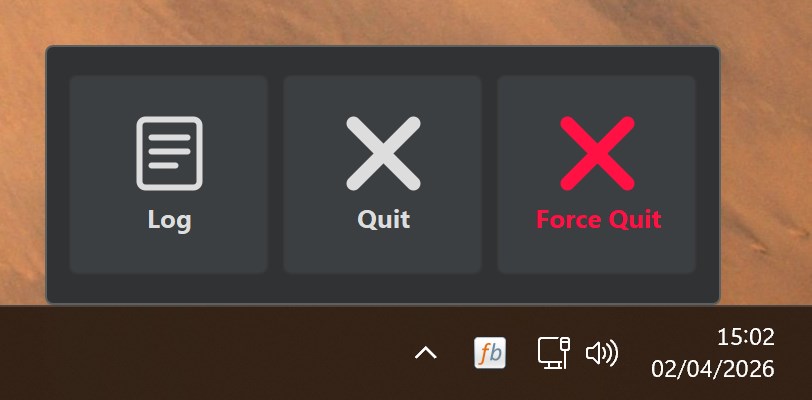
 I see. You've disabled the Windows 11 context menu and are using the classic context menu instead. In that case the old