FileBot Node doesn't start on DSM 6

Support for Synology NAS, QNAP NAS and other Embedded Linux systems
Post Reply
flasher111
Posts: 10
Joined: 14 Feb 2016, 08:09

FileBot Node doesn't start on DSM 6

Post by flasher111 »

Hello Community,

i am new in this forum and i have a small problem with getting started the fileBot Node on my Sinology.
First of all i will give you a few informations about my system requirements.

I have a Synology DS 713+ installed with the second Beta-Version of DSM 6.
I installed:
-Java V7 --> runs perfect
-FileBot V4.6.1 --> runs perfect
and FileBot Nodes V0.1.7 --> didn't start

Image

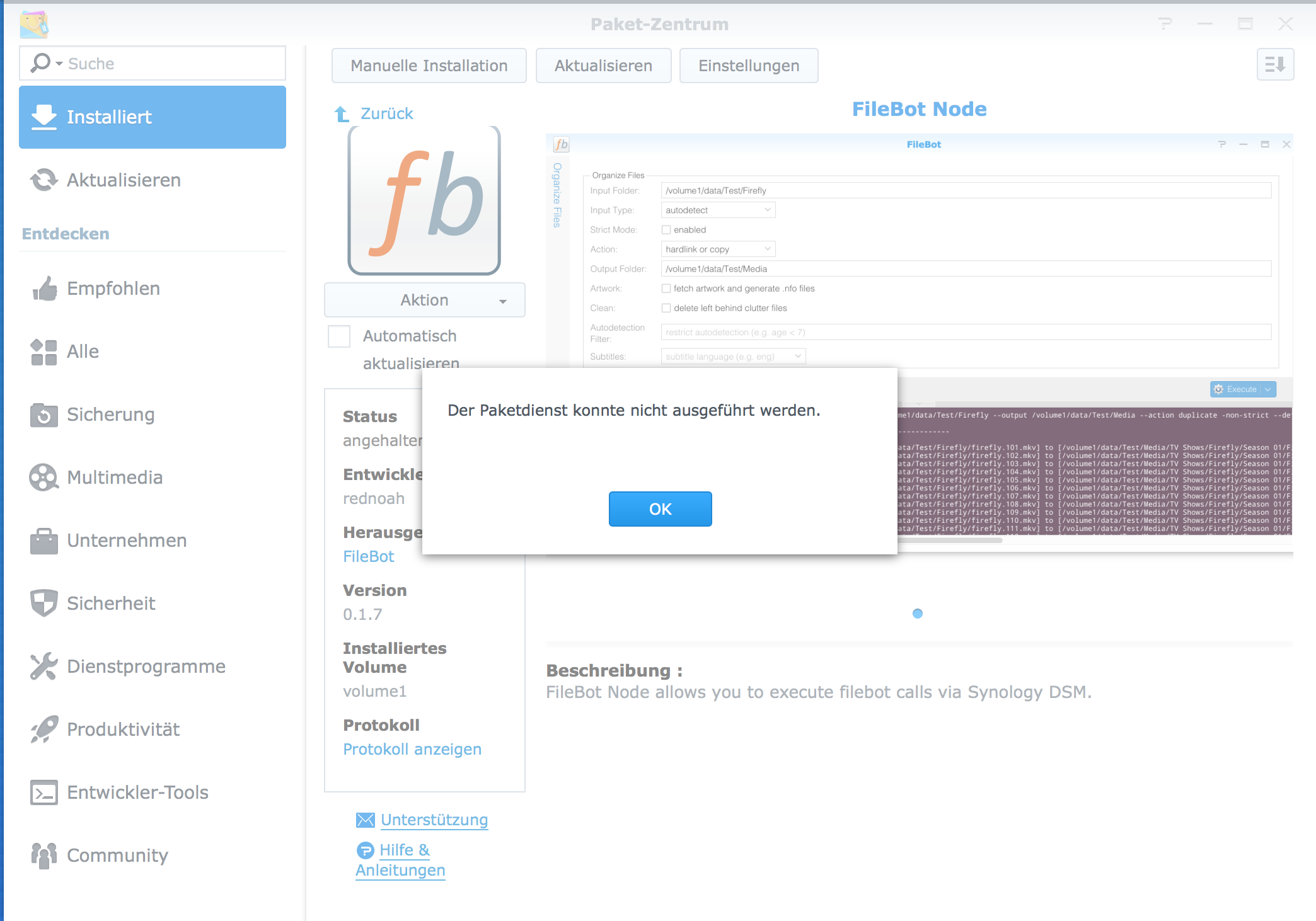
if i try to run FileBot Nodes a Message appears with "Der Packetdienst konnte nicht ausgeführt werden"

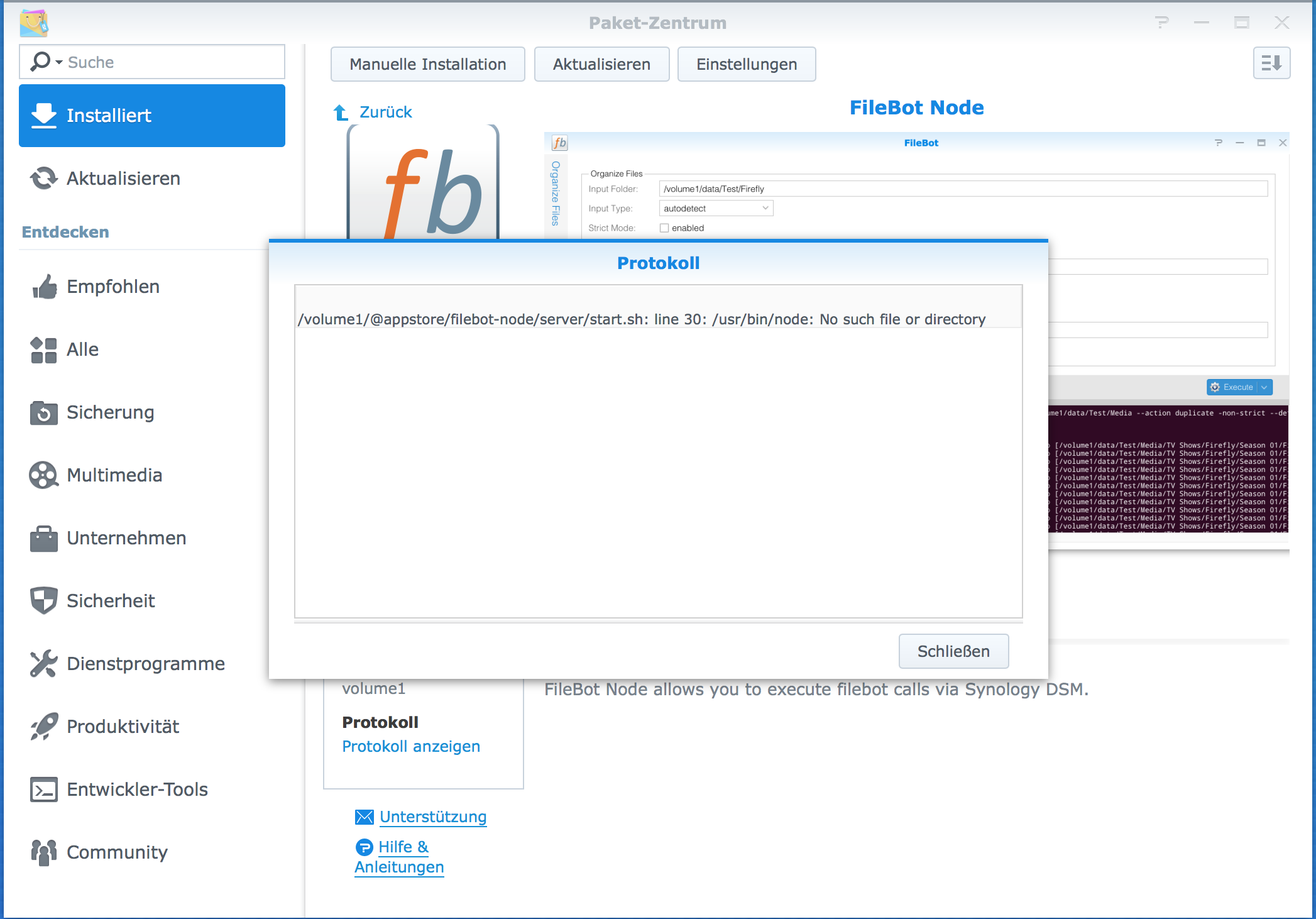
The log will give me the following output

Image

i hope anybody could help me with this error.
User avatar
rednoah
The Source
Posts: 24698
Joined: 16 Nov 2011, 08:59
Location: Taipei
Contact:

Re: filebot node not starting

Post by rednoah »

Looks like Node.js is not installed.

Also, FileBot requires at least Java 8.
:idea: Please read the FAQ and How to Request Help.
ZeroZorro
Posts: 3
Joined: 15 Feb 2016, 13:45

Re: filebot node not starting

Post by ZeroZorro »

I have exactly the same error:

Synology DS214play DSM 6.0-7274
Node.js 0.12.9-0159
Filebot 4.6.1
FileNode 0.1.8
Java: java version "1.8.0_73"
Java(TM) SE Embedded Runtime Environment (build 1.8.0_73-b02, headless)
Java HotSpot(TM) Embedded Client VM (build 25.73-b02, mixed mode)

Seems like node.js is installed but maybe in another dir? Any clues?
ZeroZorro
Posts: 3
Joined: 15 Feb 2016, 13:45

Re: filebot node not starting

Post by ZeroZorro »

It seems like 'node' is installed in '/usr/local/bin' instead of /'usr/bin'
i copied the file to /usr/bin manually but still some errors...

Image
ZeroZorro
Posts: 3
Joined: 15 Feb 2016, 13:45

Re: filebot node not starting

Post by ZeroZorro »

Just did a new, clean setup following
viewtopic.php?f=3&t=1802

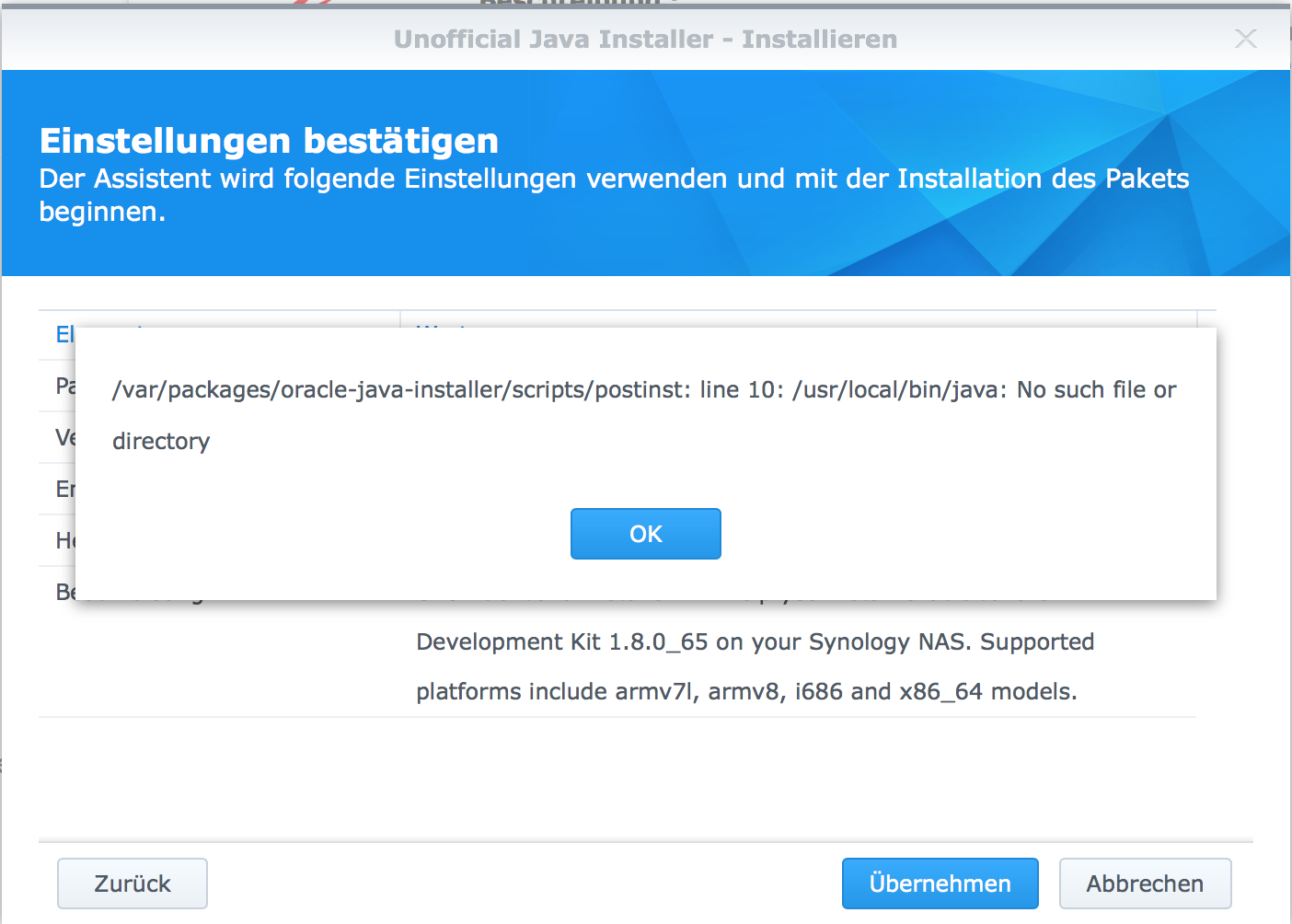
After installing Unofficial Java installer a got an error:

/var/packages/oracle-java-installer/scripts/postinst: line 10: /usr/local/bin/java: No such filer or directory

Probably that's where trouble starts?
flasher111
Posts: 10
Joined: 14 Feb 2016, 08:09

Re: filebot node not starting

Post by flasher111 »

rednoah wrote:Looks like Node.js is not installed.

Also, FileBot requires at least Java 8.
First time i installed filebot Node i were asked to install the Node.js and i clicked "yes".
The Nodes.js installation was successful.

Today i installed Java 8 but it has no effect.
I also tried the new Version 0.1.8 from github but i have the same problems that i wrote in my first post!

i think the approach from ZeroZorro is on the right way!
User avatar
rednoah
The Source
Posts: 24698
Joined: 16 Nov 2011, 08:59
Location: Taipei
Contact:

Re: filebot node not starting

Post by rednoah »

Did you install the Synology Node JS package? Or SynoCommunity one? I have bnotntested the latter.

If my Java installer doesn't work, check the log and see what it says. Then post a screenshot here.
:idea: Please read the FAQ and How to Request Help.
flasher111
Posts: 10
Joined: 14 Feb 2016, 08:09

Re: filebot node not starting

Post by flasher111 »

rednoah wrote:Did you install the Synology Node JS package? Or SynoCommunity one? I have bnotntested the latter.

If my Java installer doesn't work, check the log and see what it says. Then post a screenshot here.
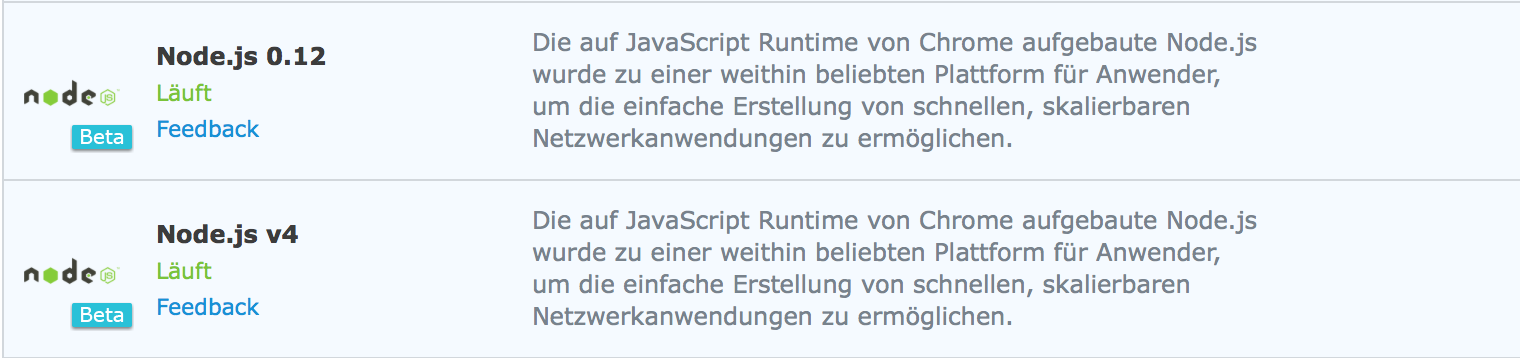
i installed Node JS from Synology
(Version 0.12 and Version 4.2.3)

i also tried the Node JS from SynoCommunity

Java 8 is installed i tried it with the Synology beta packed and with the original installer from Oracle.
Java 8 is correctly installed and works.

Image

Image

Image

Image

Image

Image

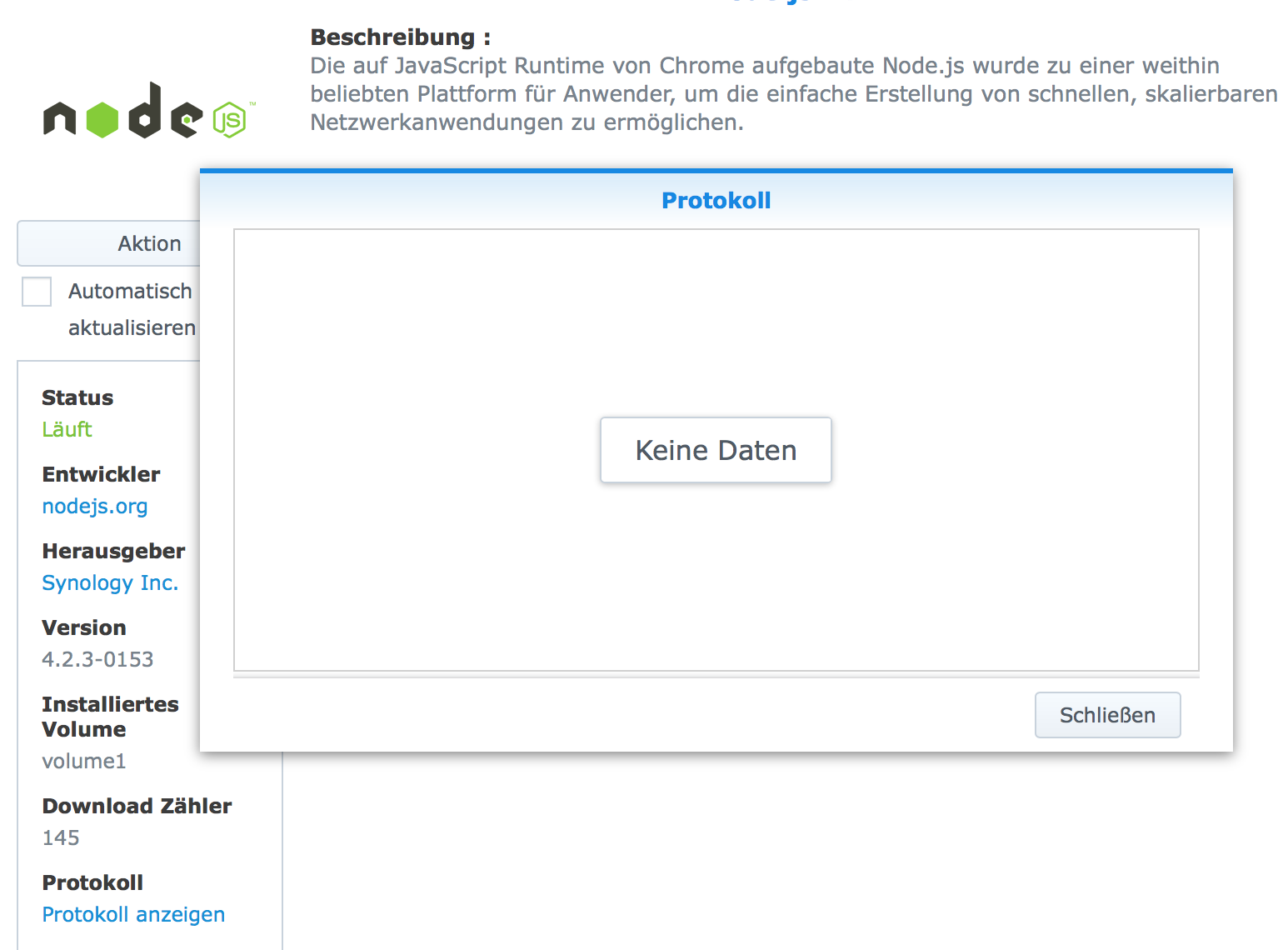
same log message in filebot Node
flasher111
Posts: 10
Joined: 14 Feb 2016, 08:09

Re: filebot node not starting

Post by flasher111 »

i found at the forum that you have your own Java Version 8 pkg.
https://app.filebot.net/syno/index.json

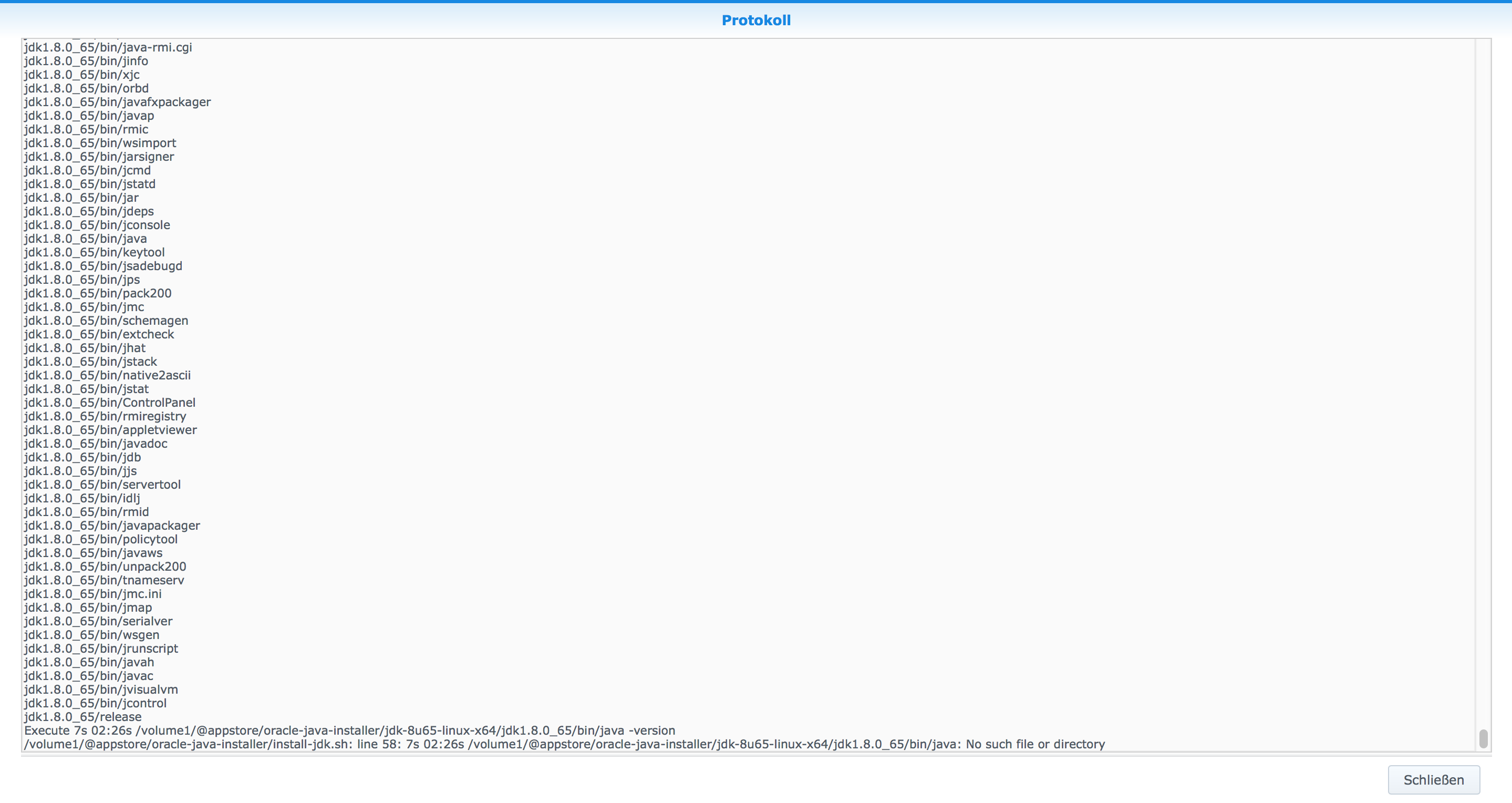
After installing your Java V8 Version i got two error Messages

Image

Image

the log file is really long so the screenshot is from the bottom.
I think the last line is critical
User avatar
rednoah
The Source
Posts: 24698
Joined: 16 Nov 2011, 08:59
Location: Taipei
Contact:

Re: filebot node not starting

Post by rednoah »

Let's ignore java and focus on the node issue.

The Synology Node JS package should create the /usr/bin/node symlink. So either the install failed, or they changed something.

Log in via SSH, find the node executable, check that it works, and then create that symlink yourself.
:idea: Please read the FAQ and How to Request Help.
flasher111
Posts: 10
Joined: 14 Feb 2016, 08:09

Re: filebot node not starting

Post by flasher111 »

i opened you start.sh at /volume1/@appstore/filebot-node/server/start.sh with the terminal editor and changed the path in line 30

Code: Select all

/usr/local/bin/node --max_executable_size=16 --use_idle_notification "server/app.js"
because the node folder in Beta 2 is in the folder "local".

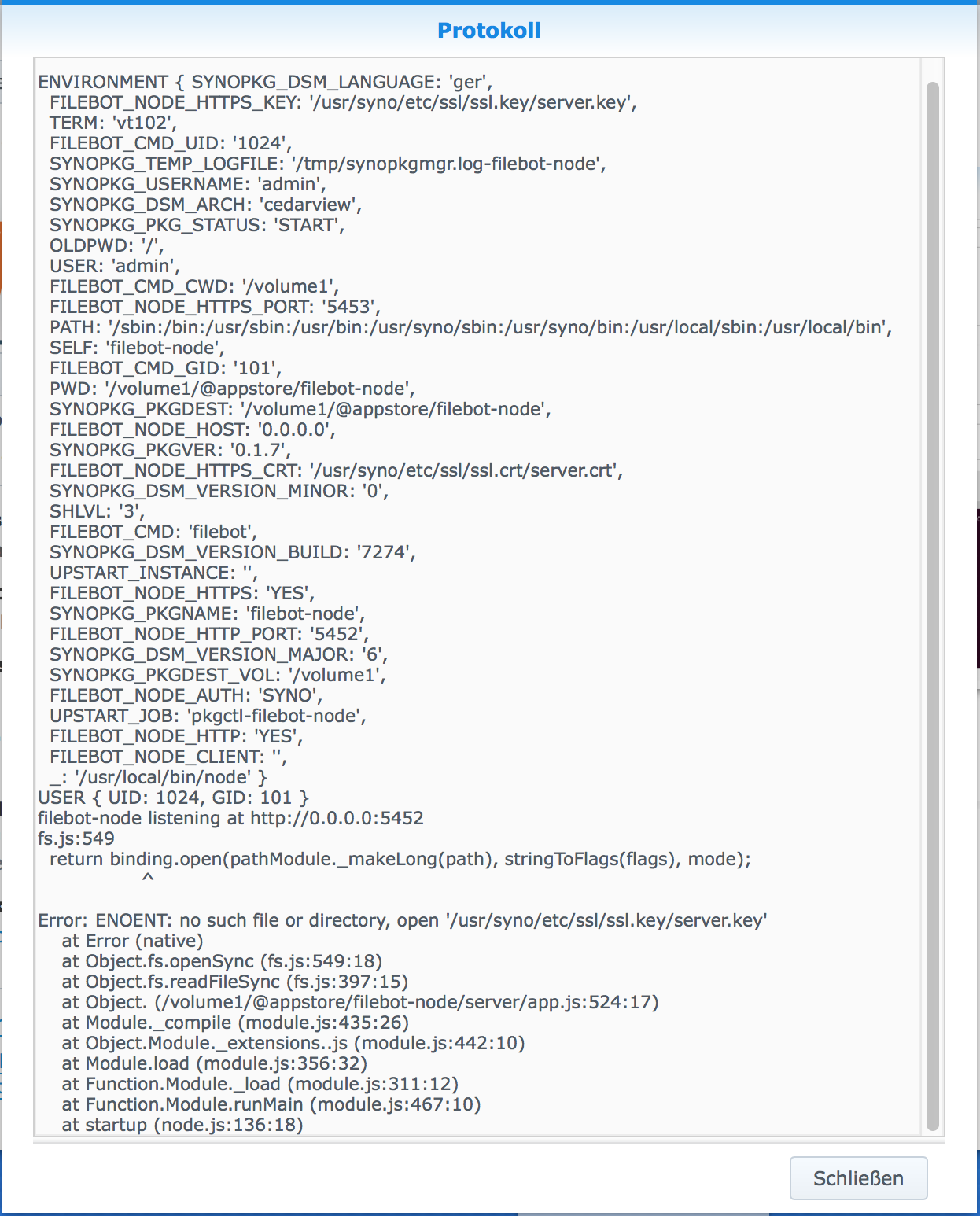
Now i got this Error in the log-file

Image

i don't know what this means
User avatar
rednoah
The Source
Posts: 24698
Joined: 16 Nov 2011, 08:59
Location: Taipei
Contact:

Re: filebot node not starting

Post by rednoah »

I guess DSM 6 changes lots of things. Consider FileBot Node broken on DSM 6 for now.

Fixing these issues is probably just a matter of updating the paths in server/start.sh to whatever has changed with DSM 6.
:idea: Please read the FAQ and How to Request Help.
User avatar
rednoah
The Source
Posts: 24698
Joined: 16 Nov 2011, 08:59
Location: Taipei
Contact:

Re: filebot node not starting

Post by rednoah »

Try server/start.sh with this ssl options:

Code: Select all

export FILEBOT_NODE_HTTPS_KEY="/usr/syno/etc/certificate/system/default/privkey.pem"
export FILEBOT_NODE_HTTPS_CRT="/usr/syno/etc/certificate/system/default/cert.pem"
@see https://forum.synology.com/enu/viewtopi ... 0&t=114697
:idea: Please read the FAQ and How to Request Help.
frikeando
Posts: 8
Joined: 03 Mar 2016, 23:07

Re: FileBot Node doesn't start on DSM 6

Post by frikeando »

I am on the same boat, with DSM 6 (sorry for not to mention it in my post, I didn't see this topic).

Could you detail how to do that ssl option thing?

Thanks!
User avatar
rednoah
The Source
Posts: 24698
Joined: 16 Nov 2011, 08:59
Location: Taipei
Contact:

Re: FileBot Node doesn't start on DSM 6

Post by rednoah »

1. Login as root
2. Have a look at /var/packages/filebot-node/target/server/start.sh
3. Fix the node call (replace with path to node executable, wherever it is on DSM 6)
4. Fix the filebot-node ssl config (replace key/crt paths with whatever works on DSM 6)

I don't have DSM 6 yet so I don't know the details. If you figure it out, please share. ;)
:idea: Please read the FAQ and How to Request Help.
flasher111
Posts: 10
Joined: 14 Feb 2016, 08:09

Re: FileBot Node doesn't start on DSM 6

Post by flasher111 »

@rednoah,

thanks for your help! I tried it with the modified start.sh.
This is my start.sh

Code: Select all

#!/bin/sh

export FILEBOT_NODE_HOST="0.0.0.0" # bind to all interfaces
export FILEBOT_NODE_AUTH="SYNO"

export FILEBOT_NODE_HTTP="YES"
export FILEBOT_NODE_HTTP_PORT="5452"

export FILEBOT_NODE_HTTPS="YES"
export FILEBOT_NODE_HTTPS_PORT="5453"
export FILEBOT_NODE_HTTPS_KEY="/usr/syno/etc/certificate/system/default/privkey.pem"
export FILEBOT_NODE_HTTPS_CRT="/usr/syno/etc/certificate/system/default/cert.pem"

# set user
export USER="admin"

export FILEBOT_CMD="filebot"
export FILEBOT_CMD_CWD="$SYNOPKG_PKGDEST_VOL"
export FILEBOT_CMD_UID=`id -u $USER`
export FILEBOT_CMD_GID=`cat /etc/group | grep 'administrators' | cut -d: -f3` # cannot use `id -u $USER` because the result is 100:users but we need 101:administrators because users don't have execute permissions

export FILEBOT_NODE_CLIENT="" # serve client-side code via DSM only

# set working dir
cd "$SYNOPKG_PKGDEST"

# --max_executable_size (max size of executable memory (in Mbytes))
# (NOT YET SUPPORTED SYNO NODE.JS) --optimize_for_size (Enables optimizations which favor memory size over execution speed.)
# --use_idle_notification (Use idle notification to reduce memory footprint.)
/usr/local/bin/node --max_executable_size=16 --use_idle_notification "server/app.js"

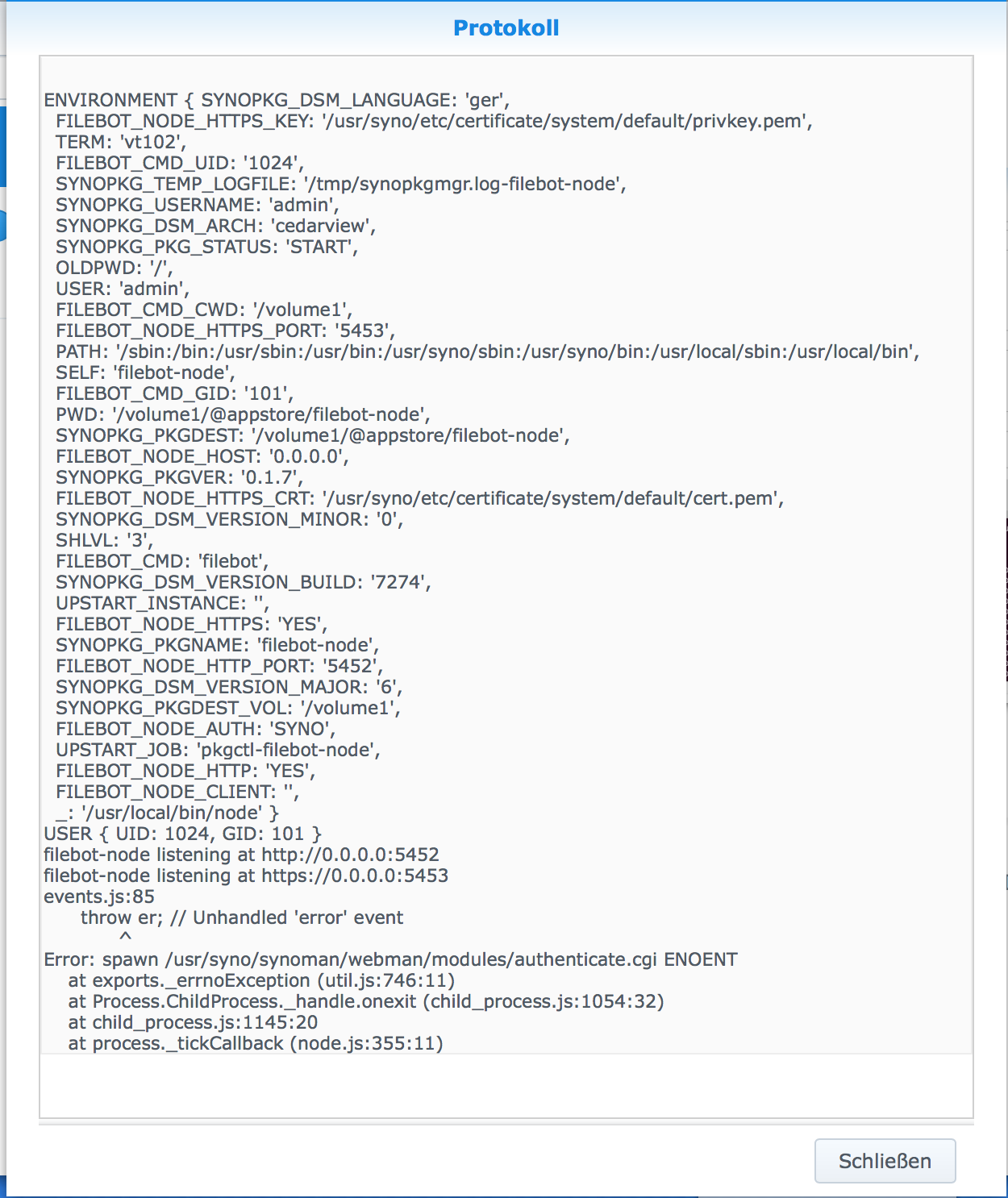
but now i got this error Message

Image
User avatar
rednoah
The Source
Posts: 24698
Joined: 16 Nov 2011, 08:59
Location: Taipei
Contact:

Re: FileBot Node doesn't start on DSM 6

Post by rednoah »

I guess the path to the authenticate.cgi has changed as well. You could try modifying app.js to possibly fix that one.
:idea: Please read the FAQ and How to Request Help.
User avatar
rednoah
The Source
Posts: 24698
Joined: 16 Nov 2011, 08:59
Location: Taipei
Contact:

Re: FileBot Node doesn't start on DSM 6

Post by rednoah »

Looks like Synology has changed all the paths. I'll try to support DSM 6 once it's been officially released.

I'm happy to accept pull requests if anybody wants to make DSM 6 support happen themselves. ;)
https://github.com/filebot/filebot-node
:idea: Please read the FAQ and How to Request Help.
flasher111
Posts: 10
Joined: 14 Feb 2016, 08:09

Re: FileBot Node doesn't start on DSM 6

Post by flasher111 »

for all who have the DSM 6 Beta 1 or Beta 2 installed Filebot Node does not work.
Some path or certificates has been changed. And the authenticate.cgi will not be supportet via Beta1 and2.
I installed DSM 6 RC1 where the authenticate.cgi is supportet. Filebot Node itself works but the gui didn't start.
User avatar
rednoah
The Source
Posts: 24698
Joined: 16 Nov 2011, 08:59
Location: Taipei
Contact:

Re: FileBot Node doesn't start on DSM 6

Post by rednoah »

I've uploaded a test package that should work on DSM 6.

Please try and give me feedback:
https://sourceforge.net/projects/filebo ... ebot/HEAD/
:idea: Please read the FAQ and How to Request Help.
tudor131313
Posts: 9
Joined: 18 Feb 2016, 00:16

Re: FileBot Node doesn't start on DSM 6

Post by tudor131313 »

Code: Select all

Locking /volume1/@appstore/filebot-node/filebot.log
Mar 25, 2016 12:47:14 AM net.sf.ehcache.store.disk.DiskStorageFactory <init>
WARNING: The index for data file /volume1/@appstore/filebot/data/admin/cache/0/web-datasource-lv2.data is out of date, probably due to an unclean shutdown. Deleting index file /volume1/@appstore/filebot/data/admin/cache/0/web-datasource-lv2.index
Mar 25, 2016 12:47:18 AM net.sf.ehcache.store.disk.DiskStorageFactory <init>
WARNING: The index for data file /volume1/@appstore/filebot/data/admin/cache/0/web-persistent-datasource.data is out of date, probably due to an unclean shutdown. Deleting index file /volume1/@appstore/filebot/data/admin/cache/0/web-persistent-datasource.index
Mar 25, 2016 12:47:18 AM net.sf.ehcache.store.disk.DiskStorageFactory <init>
WARNING: The index for data file /volume1/@appstore/filebot/data/admin/cache/0/web-datasource.data is out of date, probably due to an unclean shutdown. Deleting index file /volume1/@appstore/filebot/data/admin/cache/0/web-datasource.index
Mar 25, 2016 12:47:19 AM net.sf.ehcache.store.disk.DiskStorageFactory <init>
WARNING: The index for data file /volume1/@appstore/filebot/data/admin/cache/0/web-datasource-lv3.data is out of date, probably due to an unclean shutdown. Deleting index file /volume1/@appstore/filebot/data/admin/cache/0/web-datasource-lv3.index
Run script [fn:amc] at [Fri Mar 25 00:48:22 GMT+02:00 2016]

so far it works. the gui is back and i can't see any problems. i will post here if there are any problems, but as of now, filebot node is BACK :D
Friends4U
Posts: 22
Joined: 25 Mar 2016, 23:44

Re: FileBot Node doesn't start on DSM 6

Post by Friends4U »

Not working here... with the test version (0.2.0) :(
Friends4U
Posts: 22
Joined: 25 Mar 2016, 23:44

Re: FileBot Node doesn't start on DSM 6

Post by Friends4U »

I stil get "Sorry the page you are looking for is not found".
User avatar
rednoah
The Source
Posts: 24698
Joined: 16 Nov 2011, 08:59
Location: Taipei
Contact:

Re: FileBot Node doesn't start on DSM 6

Post by rednoah »

Have you tried a different browser? (e.g. Chrome)

Have you tried clearing the browser cache and reloading the page?

Have you tried restarting your DiskStation?

Have you tried everything on this list? What exactly isn't working? Install failed? Service not started? Page not found? Authentication not working?

Have you tried accessing the filebot node frame directly?

Code: Select all

http://<IP>:5000/webman/3rdparty/filebot-node/index.html
:idea: Please read the FAQ and How to Request Help.
Friends4U
Posts: 22
Joined: 25 Mar 2016, 23:44

Re: FileBot Node doesn't start on DSM 6

Post by Friends4U »

Cool!

Direct works... perhaps it was a caching issue :)
I did not know of the direct link! Cool.

Thank you very much!
ntmf
Posts: 2
Joined: 26 Mar 2016, 18:21

Re: FileBot Node doesn't start on DSM 6

Post by ntmf »

Sadly the FileBot Node 0.2.0 does not start:
I just get the error message: "Der Paketdienst konnte nicht ausgeführt werden"
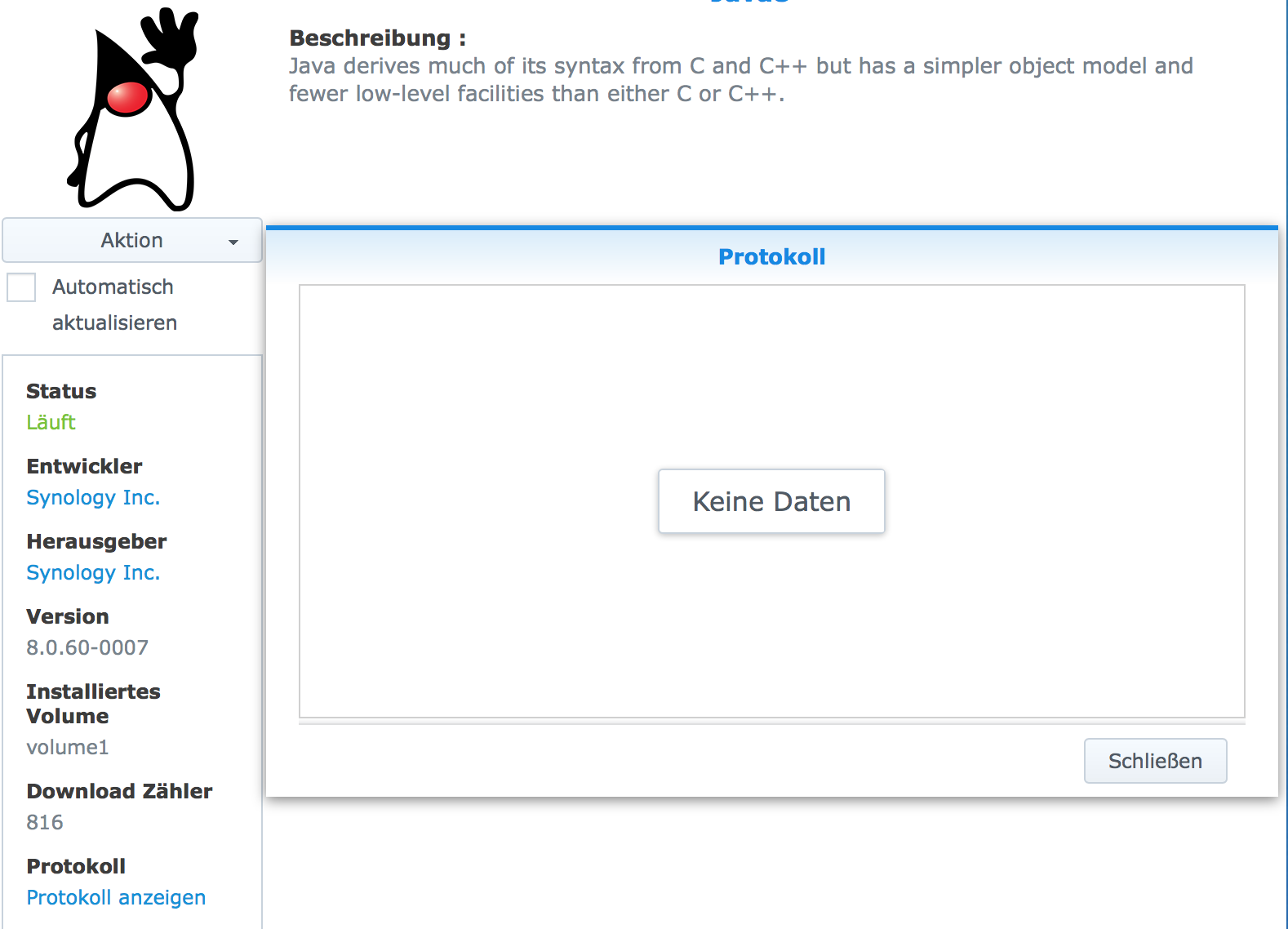
The Protokoll does not contain any data.

I did the following things:
Have you tried a different browser? (e.g. Chrome) - Does change anything

Have you tried clearing the browser cache and reloading the page? Yes - does not start.

Have you tried restarting your DiskStation? Yes, and afterwards I deleted the Browsercache

Have you tried everything on this list - What exactly isn't working?
Install failed? Installation worked!
Service not started? This is correct!
Page not found? No answer from http://192.168.178:5000/webman/3rdparty ... index.html
Authentication not working? I think I did not get there

Does your firewall allow TCP traffic on ports 5452 and 5453? FileBot Node will use HTTP on port 5452, and HTTPS on port 5453.
The Firewall of my NAS is not activated, but HTTP will connect over 5000 and HTTPS over 5001
My Router has no Firewall as I know off.

I tried to access it from the terminal:
curl -v http://192.168.15:5452/auth
* Trying 192.168.0.15...
* connect to 192.168.0.15 port 5452 failed: Operation timed out
* Failed to connect to 192.168.15 port 5452: Operation timed out
* Closing connection 0
curl: (7) Failed to connect to 192.168.15 port 5452: Operation timed out

Right now I don't know exactly how to continue
User avatar
rednoah
The Source
Posts: 24698
Joined: 16 Nov 2011, 08:59
Location: Taipei
Contact:

Re: FileBot Node doesn't start on DSM 6

Post by rednoah »

Please continue with the very first question...

Click Package Center -> FileBot Node -> View Log and see what it says.
:idea: Please read the FAQ and How to Request Help.
ntmf
Posts: 2
Joined: 26 Mar 2016, 18:21

Re: FileBot Node doesn't start on DSM 6

Post by ntmf »

Sorry, I got the translation wrong: with "Protokoll" I meant "view log" If I open it it just opens a window which shows "No Data" - the only option in this window is "close".

I switched the language - when I chose "run" as an option, after a while it shows "stopping" and a window pops up with the massage "Failed to run the package service."

could it be a problem, that I have both Java 7 and 8 running?
User avatar
rednoah
The Source
Posts: 24698
Joined: 16 Nov 2011, 08:59
Location: Taipei
Contact:

Re: FileBot Node doesn't start on DSM 6

Post by rednoah »

That probably means that the package didn't install at all, so broken package. Download again, check MD5 hashes, make sure there's no proxy between you and your DSM that corrupts the data in flight.

At this point it's not a problem specific to filebot node, so you might find more help in the Synology forums.

It has nothing to do with Java 7/8. You might wanna ssh into your DSM and check out /var/packages/filebot-node/target and see if there's anything odd.
:idea: Please read the FAQ and How to Request Help.
flasher111
Posts: 10
Joined: 14 Feb 2016, 08:09

Re: FileBot Node doesn't start on DSM 6

Post by flasher111 »

@rednoah,

thanks for updating FilebotNode!
i installed it now and the GUI works fine. But for now i have an other problem.
I got an Error in line 36: java: command not found.

Image

Java 8 is installed on my synology.
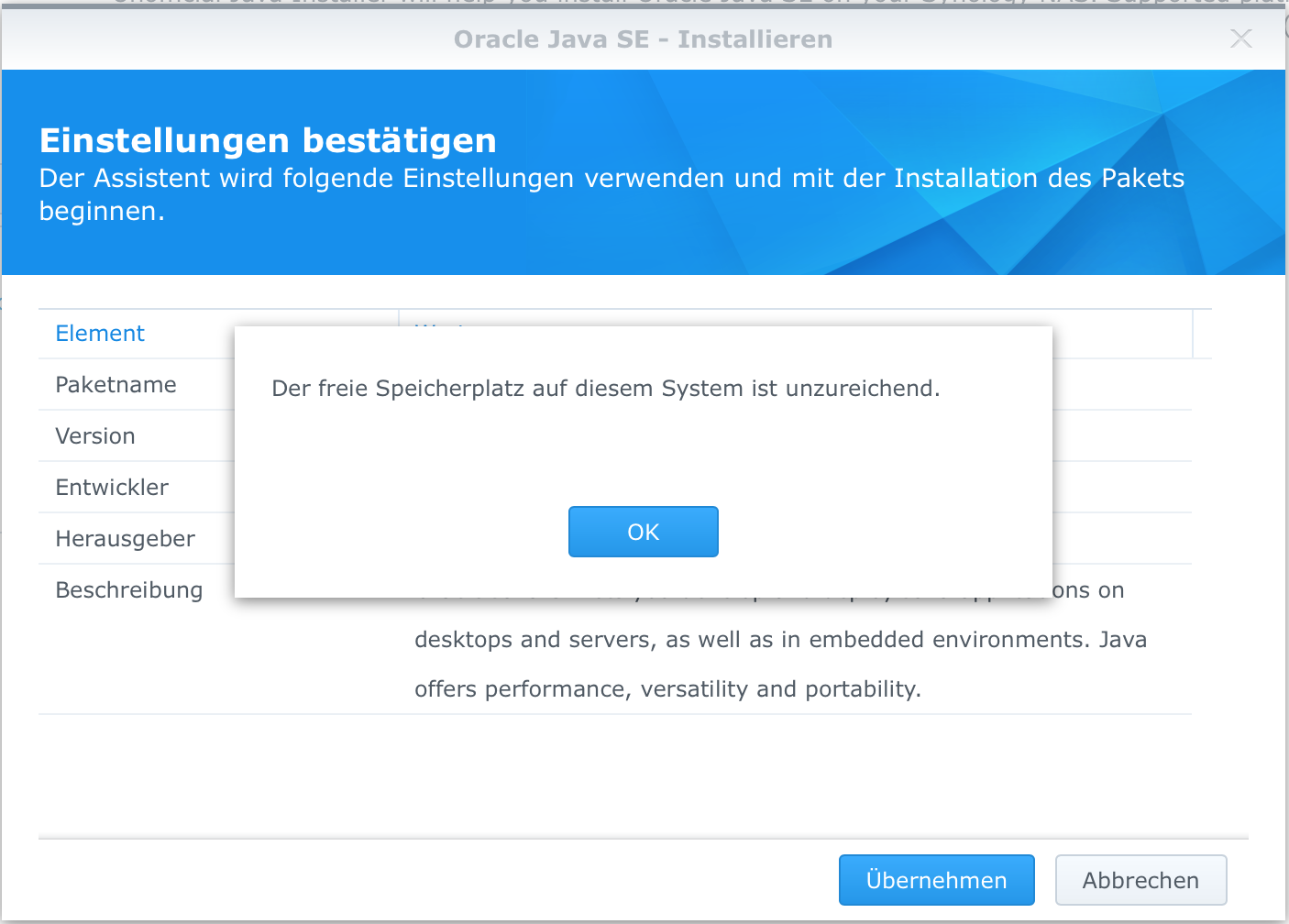
but i haven`t installed you Java package because i got an error that my disk space is full.
Image

i have checked my disk space and it is not full.

Code: Select all

Filesystem     1K-blocks      Used Available Use% Mounted on
/dev/md0         2385528    853032   1413712  38% /
none              501980         4    501976   1% /dev
/tmp              506260       432    505828   1% /tmp
/run              506260      2024    504236   1% /run
/dev/shm          506260         4    506256   1% /dev/shm
none                   4         0         4   0% /sys/fs/cgroup
/dev/vg1000/lv 956638596 801589120 154930692  84% /volume1
i have the same problem by installing you new Filebot Version since Version 4.6.1
so for now i installed your Version 4.6

Maybe you can check this!

Thanks for your great Work
bentheone
Posts: 1
Joined: 27 Mar 2016, 09:57

Re: FileBot Node doesn't start on DSM 6

Post by bentheone »

How do I update? I see all the .jar files, but what do I have to do with these?
User avatar
rednoah
The Source
Posts: 24698
Joined: 16 Nov 2011, 08:59
Location: Taipei
Contact:

Re: FileBot Node doesn't start on DSM 6

Post by rednoah »

The package sets extractsize=524288000 so DSM won't install it if you have less than 500 MB of free storage.

:idea: If your NAS has less than 500 MB free storage then you seriously need to consider deleting stuff, or getting a bigger HDD.

If your disk has plenty of free space, then this might be a bug in DSM. You might want to report this kind of Package Center issue to issue to Synology support.


EDIT:


I started a thread in the Synology forums:
https://forum.synology.com/enu/viewtopi ... 09#p425109

Please report the issue to Synology support as well though. Either it's a bug in DSM, or a bug in the SPK specification.
:idea: Please read the FAQ and How to Request Help.
Tbright
Posts: 10
Joined: 27 Mar 2016, 14:01

Re: FileBot Node doesn't start on DSM 6

Post by Tbright »

First of all, thanks for developing this!!!
I was wondering if you are planning on updating the repository any time soon now that the dsm 6 is out? I do not know how to update it from github
Thanks a lot
TB
User avatar
rednoah
The Source
Posts: 24698
Joined: 16 Nov 2011, 08:59
Location: Taipei
Contact:

Re: FileBot Node doesn't start on DSM 6

Post by rednoah »

Of course, soon as in in the next 1-2 weeks.
:idea: Please read the FAQ and How to Request Help.
maxoudela
Power User
Posts: 19
Joined: 31 Mar 2016, 12:16

Re: FileBot Node doesn't start on DSM 6

Post by maxoudela »

Hi,

First of all, thank you for the work you do and the reactivity.

I had the same issue on this thread. I would like to install the new version working with DSM 6. Maybe a stupid question, but what file should I take in the web page you mentioned ? (https://sourceforge.net/projects/filebo ... ebot/HEAD/)


Do I need to delete FileBotNode in the package center before?

EDIT : Ok forgot the question, I simply took the FileBot and did a manual install of the package.

EDIT 2 : Ok it's running but I have the "the page you're looking for is not here" (or something like that). But I have not opened the ports 5452 and 5453 so it must be that..

Regards,
Sam'
XavierC
Posts: 1
Joined: 12 Apr 2016, 14:20

Re: FileBot Node doesn't start on DSM 6

Post by XavierC »

you can try accesing it trough the direct link http://YOURIP:5000/webman/3rdparty/file ... index.html
tonis
Posts: 5
Joined: 08 Apr 2016, 13:25

Re: FileBot Node doesn't start on DSM 6

Post by tonis »

I still can't run FileBot Node after update to DSM 6. It won't start with error message "Failed to run the package service". Log is empty.

What I did:
1. Uninstalled everything.
2. Re-created download and media folders.
2. Installed Java (you need to have ~500GB free space at the moment because Synology bug).
3. Installed Node.js v4
4. Installed FileBot.
5. Checked that ports are open.

6. Installed FileBot Node and it fails to start.
tonis
Posts: 5
Joined: 08 Apr 2016, 13:25

Re: FileBot Node doesn't start on DSM 6

Post by tonis »

Managed to make it work:

1. Owner for download and media folders was still root. Changed it to admin user. After that didn't work right away.
2. Re-installed everything and rebooted. Now it worked.
ward0
Posts: 14
Joined: 09 Apr 2016, 10:58

Re: FileBot Node doesn't start on DSM 6

Post by ward0 »

Rednoah, can you pls let us know in the topic here, when you updated the syncommunity package for DSM6

Thanks in advance.
padremaldito
Posts: 1
Joined: 28 Apr 2016, 17:54

Re: FileBot Node doesn't start on DSM 6

Post by padremaldito »

Hi
After DSM 6 update 3 stop working. After uninstall it and reinstalled Filebot-node can't be started (0.1.8 and 0.2 version).

I've uninstalled all packages. And reinstalle in order, Java Node, Filebot, filebot-node.

Any idea?
tonis
Posts: 5
Joined: 08 Apr 2016, 13:25

Re: FileBot Node doesn't start on DSM 6

Post by tonis »

For me it's also broken again. Node is not starting and Log is empty. For me it seems that DSM update 5 did it.
tedrogers61
Posts: 15
Joined: 16 May 2016, 22:32

Re: FileBot Node doesn't start on DSM 6

Post by tedrogers61 »

New Synology owner here - first ever NAS! DS215j on DSM 6.0-7321 Update 6.

Just using it as a music server and photo dump.

I also cannot get FileBot Node 0.2.0 to start - same error - "failed to run the package service".

Whether the firewall is off or if I add exceptions for the correct ports - no difference. Ports are forwarded on router and confirmed open by Web port check tool.

My 'music' shared folder has admin permissions r/w full access.

I'm logged in as admin using LAN IP rather than quickconnect.

Is it broken? Am I (at this moment in time) pissing into the wind trying to get this working? Haha.

Thanks.
User avatar
rednoah
The Source
Posts: 24698
Joined: 16 Nov 2011, 08:59
Location: Taipei
Contact:

Re: FileBot Node doesn't start on DSM 6

Post by rednoah »

1.
What exactly is working and what exactly is not?
viewtopic.php?f=13&t=3368

You did not include any logs. If something doesn't work, there will always be logs. If you can find them, ask Google where to find them. ;)


2.
DSM wrote:"failed to run the package service"
This message indicates that the package is never started. Presumably, no filebot code is ever called, so there is nothing that can be fixed here. Please ask Synology support.
:idea: Please read the FAQ and How to Request Help.
tedrogers61
Posts: 15
Joined: 16 May 2016, 22:32

Re: FileBot Node doesn't start on DSM 6

Post by tedrogers61 »

Well, everything installs correctly as far as I can tell.

FileBot
FileBot Node
(your) Java
Acoustic ID
Mediainfo

When I run the Node package, I get the error I mentioned. Everything else reports as running, except Node won't start.

The log for Node is blank, which supports your point about it never starting in the first place.

Are there any specific logs you require from elsewhere? I can find them no problem, I just need to know which ones.

Thanks.
User avatar
rednoah
The Source
Posts: 24698
Joined: 16 Nov 2011, 08:59
Location: Taipei
Contact:

Re: FileBot Node doesn't start on DSM 6

Post by rednoah »

Unfortunately, that does not help me help you. ;) You will need to find more information (i.e. logs) and then maybe there'll be some hints towards a solution.

* You did not include screenshots (so I can confirm that the package was installed)
* You did not include package log -> View Log -> Screenshot (so I can confirm if the package is started or not)
* You did not include curl -v http://<IP>:5452/auth output (so I can confirm if the service is running or not)
* You did not include Synology syslog output (so I can see what synology is doing / not doing)

This list is not exhaustive. More information is better. Google "failed to run the package service" and see if you find anything that might shine more light on the issue.

DSM has a "Log" app. Just click around a little bit until you find it. Otherwise check the Synology forums. I'd start by checking the typical Linux locations like /var/log via SSH first.
:idea: Please read the FAQ and How to Request Help.
tedrogers61
Posts: 15
Joined: 16 May 2016, 22:32

Re: FileBot Node doesn't start on DSM 6

Post by tedrogers61 »

Okay, I will try and turn my attention to all of this when I have the opportunity.

Thanks.
ward0
Posts: 14
Joined: 09 Apr 2016, 10:58

Re: FileBot Node doesn't start on DSM 6

Post by ward0 »

rednoah wrote:Unfortunately, that does not help me help you. ;) You will need to find more information (i.e. logs) and then maybe there'll be some hints towards a solution.

* You did not include screenshots (so I can confirm that the package was installed)
* You did not include package log -> View Log -> Screenshot (so I can confirm if the package is started or not)
* You did not include curl -v http://<IP>:5452/auth output (so I can confirm if the service is running or not)
* You did not include Synology syslog output (so I can see what synology is doing / not doing)

This list is not exhaustive. More information is better. Google "failed to run the package service" and see if you find anything that might shine more light on the issue.

DSM has a "Log" app. Just click around a little bit until you find it. Otherwise check the Synology forums. I'd start by checking the typical Linux locations like /var/log via SSH first.
this might help people :

dant1 wrote:
I am having this issue with Sonarr. I only have limited experience with SSH but am willing to learn if you have any pointers to getting it working.


First, create a user called "nzbdrone". Sonarr used to be called NzbDrone, and it still relies on having a user account with that name. The package installer should auto-create the user, but that part of the installer isn't working properly on DSM 6.0, so you need to make the user account manually. Give it a random password, and assign it read/write privileges to your download share as well as your video share. Then see if the service starts up.

If it still doesn't start, try SSHing into your NAS as the root user and run the following command:

Code: Select all
chown -HR nzbdrone /usr/local/nzbdrone


That will assign ownership of the Sonarr/NzbDrone package files to the nzbdrone user.

Then try to start it up again. If it still doesn't work, report back and I'll give you some more commands to run to figure out why it isn't working :)

Link : https://forum.synology.com/enu/viewtopic.php?t=106960

Google is your friend for most people, Me i'm waiting for Syno to fix it in patch because i'm a lazy IT'r :)
tedrogers61
Posts: 15
Joined: 16 May 2016, 22:32

Re: FileBot Node doesn't start on DSM 6

Post by tedrogers61 »

Thanks for your continued replies.

I briefly tried connecting via HTTP rather than HTTPS, and that didn't work either.

Logged in as admin. Full permission everywhere. Ports open on router. Syno Firewall off.

I also uninstalled, rebooted, reinstalled, rebooted - no success.

FBNode just won't start. Everything else reports as "running" (FileBot, AcoustiID, Java, etc).

I wish I had to time to devote to this, but I might just use other ways to get the artwork I need. Would have been nice to have it running automatically on the DiskStation though.
ward0
Posts: 14
Joined: 09 Apr 2016, 10:58

Re: FileBot Node doesn't start on DSM 6

Post by ward0 »

tedrogers61 wrote:Thanks for your continued replies.

I briefly tried connecting via HTTP rather than HTTPS, and that didn't work either.

Logged in as admin. Full permission everywhere. Ports open on router. Syno Firewall off.

I also uninstalled, rebooted, reinstalled, rebooted - no success.

FBNode just won't start. Everything else reports as "running" (FileBot, AcoustiID, Java, etc).

I wish I had to time to devote to this, but I might just use other ways to get the artwork I need. Would have been nice to have it running automatically on the DiskStation though.
Do you have any Linux Exp. what so ever? Did you read my comment about SSH? Not http or https ( its the same thing btw .. just secured or not.)

You will need to use a black terminal and not a click click solution for this problem. Else use a restore and go back to DSM5
User avatar
rednoah
The Source
Posts: 24698
Joined: 16 Nov 2011, 08:59
Location: Taipei
Contact:

Re: FileBot Node doesn't start on DSM 6

Post by rednoah »

Once again, visually describing how Package Center looks like is wholly unhelpful. :D

Logs, as repeatedly stated, may put some light on these issues:

Code: Select all

cat /var/log/synopkg.log
:idea: Please read the FAQ and How to Request Help.
ward0
Posts: 14
Joined: 09 Apr 2016, 10:58

Re: FileBot Node doesn't start on DSM 6

Post by ward0 »

rednoah wrote:Once again, visually describing how Package Center looks like is wholly unhelpful. :D

Logs, as repeatedly stated, may put some light on these issues:

Code: Select all

cat /var/log/synopkg.log
I think many just hope it's like a windows application ( plug and play) or don't reply back :)
tedrogers61
Posts: 15
Joined: 16 May 2016, 22:32

Re: FileBot Node doesn't start on DSM 6

Post by tedrogers61 »

ward0 wrote:
rednoah wrote:Once again, visually describing how Package Center looks like is wholly unhelpful. :D

Logs, as repeatedly stated, may put some light on these issues:

Code: Select all

cat /var/log/synopkg.log
I think many just hope it's like a windows application ( plug and play) or don't reply back :)
No, I'm here...just in work and not able to check any of this out. I need to learn about SSH. I have some tux experience. I'll try and get that log to you.

Thanks.
tedrogers61
Posts: 15
Joined: 16 May 2016, 22:32

Re: FileBot Node doesn't start on DSM 6

Post by tedrogers61 »

Thanks for your help anyway...I'm giving up and using Bliss instead. It does what I need straight from the box. Thanks.
ward0
Posts: 14
Joined: 09 Apr 2016, 10:58

Re: FileBot Node doesn't start on DSM 6

Post by ward0 »

tedrogers61 wrote:Thanks for your help anyway...I'm giving up and using Bliss instead. It does what I need straight from the box. Thanks.
I don't see how can you compare a music library tool and a sub title tool ...

http://www.blisshq.com/music-library-ma ... e-updated/
tedrogers61
Posts: 15
Joined: 16 May 2016, 22:32

Re: FileBot Node doesn't start on DSM 6

Post by tedrogers61 »

rednoah wrote:Once again, visually describing how Package Center looks like is wholly unhelpful. :D

Logs, as repeatedly stated, may put some light on these issues:

Code: Select all

cat /var/log/synopkg.log
Hi again @rednoah,

I've come back to this after some time away learning about my Syno DSM6 and using SSH etc. I've been able to get programs like Transmission and Deluge fully working and accessible on LAN and WAN; just to offer you an idea of how my abilities have developed.

Basically, I'm a lot more confident now, so I decided to give FB-node another try (hopeful that my new confidence would enable me to get it working), but I still hit up against the same problem, in that Filebot-Node 0.2.0 won't start.

Everything else (your Unofficial Java Installer, Node.js v4, MediaInfo, Chromaprint and Filebot 4.7) all install and run without issue.

To keep things simple I've done all my testing on my LAN. It is my understanding from reading that I shouldn't need any router / firewall ports forwarded / open from my Syno NAS on LAN. Outbound TCP connections from 5452 and 5453 (so that FB-node can communicate outside the network) should happen regardless of ports being open and firewall.

I've tried installing manually (download from your repo) for Filebot 4.7 and Filebot-Node 0.2.0, but I end with the same result.

I've tried to start FB-node manually via SSH by running as root and / or admin:

Code: Select all

./var/packages/filebot-node/scripts/start-stop-status start
...but every time, via either admin or root SSH, I get the error:

Code: Select all

initctl: Name may not be empty string
..
..
..
..

> > > > > MOMENT OF UTTER SHOCK ENSUES < < < < <

....WAIT! As I have been writing this...I decided to install it all again in a different order....AND IT WORKS!!!! This is inexplicable! :? :shock:

All I did differently was this:

1. Install Chromaprint and Media Info.
2. Click to install Filebot-Node (and allow the automatic installer to install all other components).

This is so strange that this should work now. I was really starting to doubt myself. I didn't even need to reboot the Syno. I'm also not logged in as built-in 'admin' user (in fact 'admin' user is disabled), although I am logged in as a different username with full-admin privs.

I've also been able to confirm that on my system (DS215j - DSM 6.0.1-7393 Update 1), if I remove everything related to FileBot, and install it again in the following order, then it breaks and Filebot-Node won't start (no matter if I reboot, install manually, or try to invoke via SSH start-stop-status):

1. Install Chromaprint and Media Info.
2. Install FileBot (and allow it to install Java and Node.js)
3. Install Filebot-Node.

...If I follow the above order, then Filebot-Node won't start, and frustration ensues. :roll:

Anyway, I'm glad I've been able to get it working (now to finally have a play), but it might be worth looking into why it installs perfectly one way, and not the other.

Thanks.
User avatar
rednoah
The Source
Posts: 24698
Joined: 16 Nov 2011, 08:59
Location: Taipei
Contact:

Re: FileBot Node doesn't start on DSM 6

Post by rednoah »

1.
1. Install Chromaprint and Media Info.
2. Install FileBot (and allow it to install Java and Node.js)
3. Install Filebot-Node.
I've tried this on my DS213J and I can't reproduce any issues. Works right out of the box.

2.

Code: Select all

./var/packages/filebot-node/scripts/start-stop-status start
You can't just call it like this. You'll have to set certain environment variables to call it as if DSM was calling it:

Code: Select all

export SYNOPKG_PKGNAME="filebot-node"
:idea: Please read the FAQ and How to Request Help.
tedrogers61
Posts: 15
Joined: 16 May 2016, 22:32

Re: FileBot Node doesn't start on DSM 6

Post by tedrogers61 »

rednoah wrote:1.
1. Install Chromaprint and Media Info.
2. Install FileBot (and allow it to install Java and Node.js)
3. Install Filebot-Node.
I've tried this on my DS213J and I can't reproduce any issues. Works right out of the box.

2.

Code: Select all

./var/packages/filebot-node/scripts/start-stop-status start
You can't just call it like this. You'll have to set certain environment variables to call it as if DSM was calling it:

Code: Select all

export SYNOPKG_PKGNAME="filebot-node"
Re: 1...I can't explain it either...doesn't work one way, but works if I let filebot-node install everything for me.

Re: 2...thanks, this will come in useful should I need to start / stop manually. Is that the full command for both start and stop toggle?
Tbright
Posts: 10
Joined: 27 Mar 2016, 14:01

Re: FileBot Node doesn't start on DSM 6

Post by Tbright »

Some update,

Now it installs flawless in a DS1515+, but failed to run on a DS215j

TB
tedrogers61
Posts: 15
Joined: 16 May 2016, 22:32

Re: FileBot Node doesn't start on DSM 6

Post by tedrogers61 »

I found if you install chroma etc, and then install filebot node and allow it to automatically install everything else, inc. filebot, then it works perfectly on ds215j. Any other order of installing, and filebot node fails to run. Don't know why. Permissions? Working directory creation? No idea, but the above method works fine for me, and I've been tearing my hair out on this one.
gary1001
Donor
Posts: 10
Joined: 17 Jul 2016, 08:27

Re: FileBot Node doesn't start on DSM 6

Post by gary1001 »

Hi,

For what it is worth, I am also having the same issue with a ds215j.

I'll read thought this post and collect the logs requested by the admin. I'll try the advice the last post first as a work around.
tedrogers61
Posts: 15
Joined: 16 May 2016, 22:32

Re: FileBot Node doesn't start on DSM 6

Post by tedrogers61 »

gary1001 wrote:Hi,

For what it is worth, I am also having the same issue with a ds215j.

I'll read thought this post and collect the logs requested by the admin. I'll try the advice the last post first as a work around.
I'd be very interested if my method of installation works for you on DS215J. I spent a disproportionately high amount of time trying to work this out, so I'd be very happy if it benefitted others too.
Tbright
Posts: 10
Joined: 27 Mar 2016, 14:01

Re: FileBot Node doesn't start on DSM 6

Post by Tbright »

This really puzzle me. As stated before, I own a DS1515+ and a DS215j.

In the DS1515+ after one of the latest updates (do not really know which one) the installation worked nicely just installing filebot node and let the installer do all the work.

On the DS215j I tried every possible combination of rebooting and installation order but the file bot node package simply refuses to start. I basically gave up because I thought the problem was model related but since you got it working on a 215j I will give it another try and see if I can make it work.

Regards
TB
gary1001
Donor
Posts: 10
Joined: 17 Jul 2016, 08:27

Re: FileBot Node doesn't start on DSM 6

Post by gary1001 »

The install order did not make a difference for me.
Tbright
Posts: 10
Joined: 27 Mar 2016, 14:01

Re: FileBot Node doesn't start on DSM 6

Post by Tbright »

No, I just tried the following on a DS215j and DSM 6.0.1-7393 Update 1

1) Basically uninstall everything
2) Reboot
3) Install Chromaprint
4) Install MediaInfo
5) Install Filebot node

and I still get the "Failed to run..." message :(
tedrogers61
Posts: 15
Joined: 16 May 2016, 22:32

Re: FileBot Node doesn't start on DSM 6

Post by tedrogers61 »

gary1001 wrote:The install order did not make a difference for me.
That is very odd, because the install order is very repeatable on my system. I can break it with wrong install order, or make it work with the install order I've settled on.
gary1001
Donor
Posts: 10
Joined: 17 Jul 2016, 08:27

Re: FileBot Node doesn't start on DSM 6

Post by gary1001 »

I've ended up using a scheduled task to run a simple command

Code: Select all

filebot -script fn:amc --output "/volume1/video" --action move -non-strict "/volume1/video/DiskStation_Download" --log-file amc.log --def unsorted=y clean=y excludeList=amc.txt
It actually works very well. What are the advantages to using the FileBot Node?
yahooeyu
Posts: 6
Joined: 26 Jul 2016, 20:03

Re: FileBot Node doesn't start on DSM 6

Post by yahooeyu »

Have same problem, Node doesnt start =(

log
2016/07/26 22:10:52 start filebot-node: begin to start version 0.2.0
2016/07/26 22:10:52 stop filebot-node: begin to stop version 0.2.0
2016/07/26 22:10:53 stop filebot-node: stop version 0.2.0 successfully, result 0
2016/07/26 22:11:03 start filebot-node: start version 0.2.0 failed, result 0
root@zzz:~#

root@zzz:~# curl -v https://10.10.1.8:5452/auth
* TLSv1.2 (OUT), TLS header, Certificate Status (22):
* TLSv1.2 (OUT), TLS handshake, Client hello (1):
* Unknown SSL protocol error in connection to 10.10.1.8:5452
curl: (35) Unknown SSL protocol error in connection to 10.10.1.8:5452
root@Chkin:~# curl -v http://10.10.1.8:5452/auth
> GET /auth HTTP/1.1
> Host: 10.10.1.8:5452
> User-Agent: curl/7.47.0
> Accept: */*
>
< HTTP/1.1 200 OK
< Content-Type: text/json
< Access-Control-Allow-Origin: *
< Date: Tue, 26 Jul 2016 20:16:37 GMT
< Connection: keep-alive
< Content-Length: 51
<
{"success":true,"data":{"auth":"SYNO","user":null}}root@zzz:~#


# curl -v https://10.10.1.8:5453/auth
* TLSv1.2 (OUT), TLS header, Certificate Status (22):
* TLSv1.2 (OUT), TLS handshake, Client hello (1):
* TLSv1.2 (IN), TLS handshake, Server hello (2):
* TLSv1.2 (IN), TLS handshake, Certificate (11):
* TLSv1.2 (OUT), TLS alert, Server hello (2):
* SSL certificate problem: unable to get local issuer certificate
* TLSv1.2 (OUT), TLS alert, Client hello (1):
curl: (60) SSL certificate problem: unable to get local issuer certificate
More details here: http://curl.haxx.se/docs/sslcerts.html

curl performs SSL certificate verification by default, using a "bundle"
of Certificate Authority (CA) public keys (CA certs). If the default
bundle file isn't adequate, you can specify an alternate file
using the --cacert option.
If this HTTPS server uses a certificate signed by a CA represented in
the bundle, the certificate verification probably failed due to a
problem with the certificate (it might be expired, or the name might
not match the domain name in the URL).
If you'd like to turn off curl's verification of the certificate, use
the -k (or --insecure) option.


have no idea how to make its work =(

invis
Donor
Posts: 24
Joined: 04 Apr 2016, 10:07

Re: FileBot Node doesn't start on DSM 6

Post by invis »

recently after synology updated it self, filebot stopped worked again.
when login and try starting it pushing "execute" nothing happens :(
p.s. the filebot log file is empty, so nothing I can put it :(
User avatar
rednoah
The Source
Posts: 24698
Joined: 16 Nov 2011, 08:59
Location: Taipei
Contact:

Re: FileBot Node doesn't start on DSM 6

Post by rednoah »

yahooeyu wrote:{"success":true,"data":{"auth":"SYNO","user":null}}
The logs say that it works via HTTP but it doesn't work via HTTPS. That's easily explained by DSM using self-signed certificates and curl naturally not trusting those (you'll have to use the --insecure option for that, which is the same as clicking "I trust this site" in your browser when your browser encounters a self-signed certificate).
:idea: Please read the FAQ and How to Request Help.
User avatar
rednoah
The Source
Posts: 24698
Joined: 16 Nov 2011, 08:59
Location: Taipei
Contact:

Re: FileBot Node doesn't start on DSM 6

Post by rednoah »

invis wrote:pushing "execute" nothing happens
There's 2 possible reasons:

A. The filebot node service is not running (see filebot node log)

B. Your network/firewall blocks your browser from sending requests to the filebot node service (use curl to test this, try accessing DSM from the local network)
:idea: Please read the FAQ and How to Request Help.
yahooeyu
Posts: 6
Joined: 26 Jul 2016, 20:03

Re: FileBot Node doesn't start on DSM 6

Post by yahooeyu »

Thanks for help.
I don't know how it happened,
but in 2 hours after it, i just reinstall NODE, and everything is work =)
magic!
invis
Donor
Posts: 24
Joined: 04 Apr 2016, 10:07

Re: FileBot Node doesn't start on DSM 6

Post by invis »

rednoah wrote:
invis wrote:pushing "execute" nothing happens
There's 2 possible reasons:

A. The filebot node service is not running (see filebot node log)

B. Your network/firewall blocks your browser from sending requests to the filebot node service (use curl to test this, try accessing DSM from the local network)
I have DS213 and previous issue was - it was not working at all.
after that you helped me install it and make it work without node.
it was running without any problem until 2-3 weeks ago, probably some update from DSM came out
so my automated scheduler stopped working too :
Locking /volume1/@appstore/filebot/data/root/logs/amc.log
Cannot cast java.net.URI to [B
java.lang.ClassCastException: Cannot cast java.net.URI to [B
at net.filebot.CachedResource.get(CachedResource.java:107)
at net.filebot.MemoizedResource.get(Resource.java:36)
at net.filebot.cli.ScriptBundle.getScript(ScriptBundle.java:34)
at net.filebot.cli.ScriptShell.runScript(ScriptShell.java:72)
at net.filebot.cli.ArgumentProcessor.runScript(ArgumentProcessor.java:114)
at net.filebot.cli.ArgumentProcessor.run(ArgumentProcessor.java:29)
at net.filebot.Main.main(Main.java:120)
Failure (°_°)
Firewall is off, tried different was to execute filebot, nothing :(
Godlyone
Posts: 1
Joined: 29 Jan 2017, 10:55

Re: FileBot Node doesn't start on DSM 6

Post by Godlyone »

tedrogers61 wrote:
rednoah wrote:1.
1. Install Chromaprint and Media Info.
2. Install FileBot (and allow it to install Java and Node.js)
3. Install Filebot-Node.
I've tried this on my DS213J and I can't reproduce any issues. Works right out of the box.

2.

Code: Select all

./var/packages/filebot-node/scripts/start-stop-status start
You can't just call it like this. You'll have to set certain environment variables to call it as if DSM was calling it:

Code: Select all

export SYNOPKG_PKGNAME="filebot-node"
Re: 1...I can't explain it either...doesn't work one way, but works if I let filebot-node install everything for me.

Re: 2...thanks, this will come in useful should I need to start / stop manually. Is that the full command for both start and stop toggle?
Hi,

Is it possible to provide some clarity on how to use this export command that will allow the start-stop-status command to work.

I have tried using it in PuTTY by first running your export command then running the start-stop-status command but I get the following error:

initctl: Rejected send message, 1 matched rules; type="method_call", sender=":1.4146" (uid=1024 pid=3451 comm="initctl start filebot-node ") interface="com.ubuntu.Upstart0_6.Job" member="Start" error name="(unset)" requested_reply="0" destination="com.ubuntu.Upstart" (uid=0 pid=1 comm="/sbin/init ")

Any help would be greatly appreciated.
User avatar
rednoah
The Source
Posts: 24698
Joined: 16 Nov 2011, 08:59
Location: Taipei
Contact:

Re: FileBot Node doesn't start on DSM 6

Post by rednoah »

Add a printenv > /path/to/output.txt in start-stop-status and then start/stop the service via DSM.

@see viewtopic.php?f=4&t=3067
:idea: Please read the FAQ and How to Request Help.
Post Reply