[BETA] Right-Click FileBot (FileBot Context Menu for Windows 11 available for testing)

Support for Windows users
Post Reply
User avatar
rednoah
The Source
Posts: 24601
Joined: 16 Nov 2011, 08:59
Location: Taipei
Contact:

[BETA] Right-Click FileBot (FileBot Context Menu for Windows 11 available for testing)

Post by rednoah »

★★ EARLY PROTOTYPE FOR TESTING AND FEEDBACK ★★


Right-Click FileBot

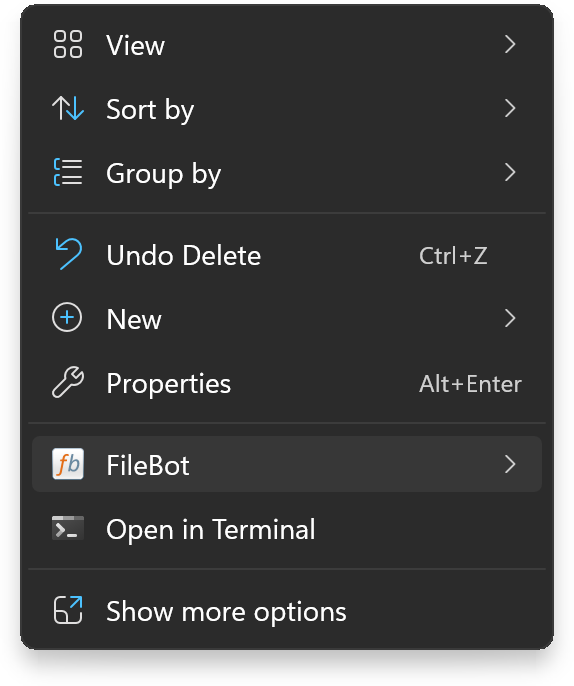
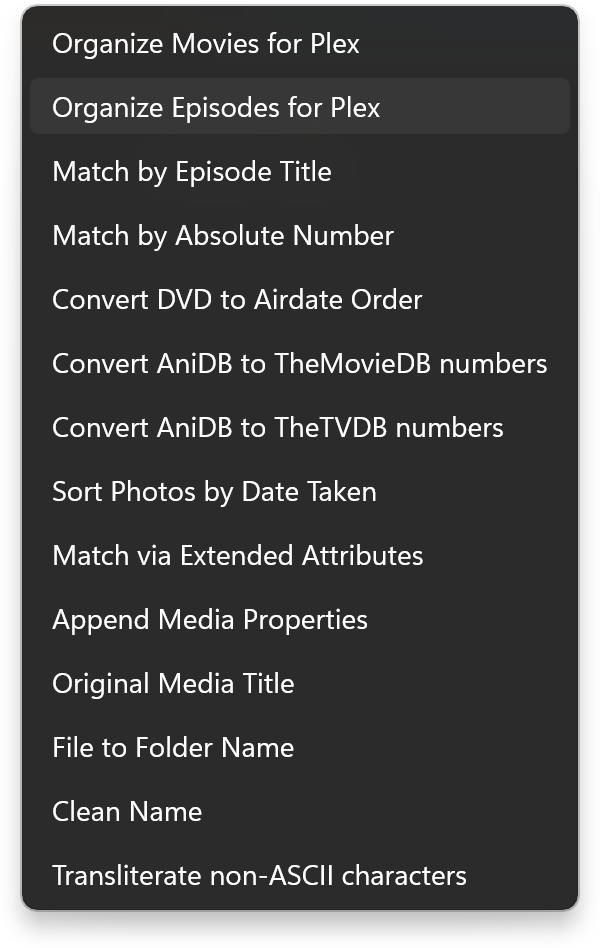
Right-Click FileBot provides a custom context menu for Windows 11 that is easy to configure and customise for your specific needs.

Microsoft Store: https://apps.microsoft.com/detail/9nnh21t1xbch

ScreenshotScreenshot


Current

  • This early release only allows you to import custom Presets configured in the FileBot application and then making them available via the Windows 11 context menu.

Planned

  • UI for for complete customization of the FileBot context menu, i.e. UI for creating custom filebot commands, custom Groovy or PowerShell scripts, and any custom command-line tool in general.
  • Feedback of any kind, especially feature requests, are most welcome.

Requirements

  • Right-Click FileBot depends on the filebot command-line tool. The filebot command must be in the %PATH%.
:idea: Please read the FAQ and How to Request Help.
jdsmith
Posts: 1
Joined: 13 Jun 2026, 01:25

Re: [BETA] Right-Click FileBot (FileBot Context Menu for Windows 11 available for testing)

Post by jdsmith »

The desktop version provides movie name and year for plex movie presets.

When right clicking it adds the IMDB ID tag.

How do I remove that tag.
User avatar
rednoah
The Source
Posts: 24601
Joined: 16 Nov 2011, 08:59
Location: Taipei
Contact:

Re: [BETA] Right-Click FileBot (FileBot Context Menu for Windows 11 available for testing)

Post by rednoah »

The context menu uses your Presets. You can create / modify your Presets into the FileBot Desktop application to suit your needs. Specifically, you'll want to use a custom format and not {plex.id} which is the default format and adds {tmdb-12345} markers to the movie folder name.

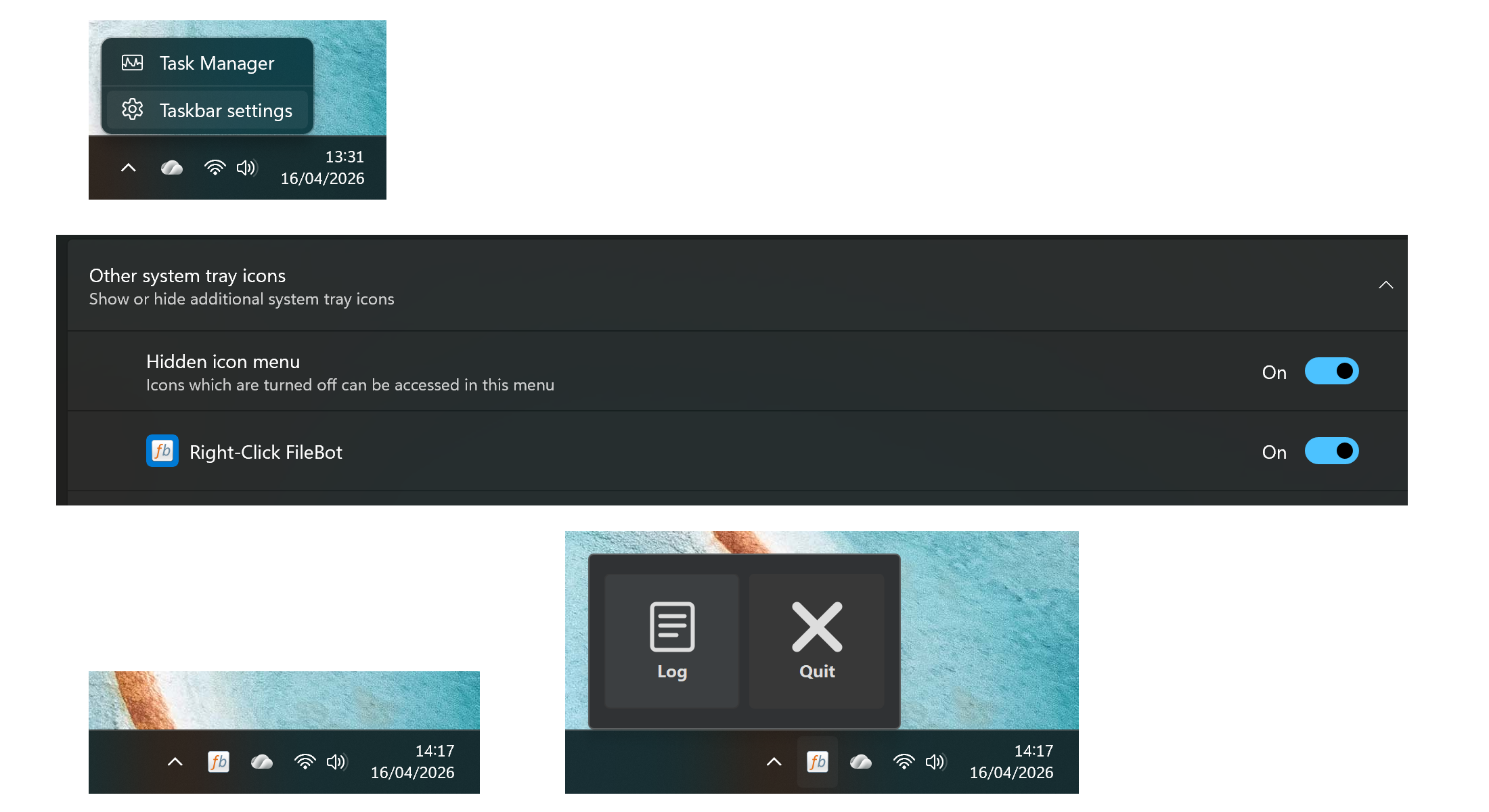
After that you'll have to open Right-Click FileBot and import the your new Presets again to update the context menu.
:idea: Please read the FAQ and How to Request Help.
hlveheart
Posts: 2
Joined: 03 Jul 2026, 04:42

Re: [BETA] Right-Click FileBot (FileBot Context Menu for Windows 11 available for testing)

Post by hlveheart »

There’s no chance of you backporting this to be compatible with Windows 10 is there? :3
User avatar
rednoah
The Source
Posts: 24601
Joined: 16 Nov 2011, 08:59
Location: Taipei
Contact:

Re: [BETA] Right-Click FileBot (FileBot Context Menu for Windows 11 available for testing)

Post by rednoah »

We use the IExplorerCommand interface so that should work on both Windows 10 and Windows 11. That said, we only test on Windows 11, so if it doesn't work on Windows 10 for some unknown reason then there's not much we can do about that. If you're on Windows 10 and have some Windows development experience, then maybe you could debug the issue and tell us what's making it not work on Windows 10.

CORRECTION
:!: Apparently Windows 10 simply does not support the relevant AppxManifest.xml sections and ignores them, so it's not registering the context menu with File Explorer. Looks like there's no chance of a Windows 10 port as that would require a traditional installer (not a Windows Store app; maybe might require a EV code signing certificate too) that installs and registers the context menu extension.

UPDATE
:idea: We could probably add an option to generate *.reg files that could then be used to configure a classic context menu. You can already do that if you write the *.reg files yourself:

Screenshot
:idea: Please read the FAQ and How to Request Help.
hlveheart
Posts: 2
Joined: 03 Jul 2026, 04:42

Re: [BETA] Right-Click FileBot (FileBot Context Menu for Windows 11 available for testing)

Post by hlveheart »

I have a makeshift version of this on Windows 10, but I had to manually create it via the registry and have to do it for each individual preset.

Screenshot

love this innovation though. Will love it even more when I finally upgrade to 11.

Thanks for all the hard work you guys do.
Post Reply